

Appearance
Inventory
This page demostrates the inventory reporting capabilities of NutrixHub.
You can visit the inventory page by pressing on the Inventory tab in the sidemenu as shown in the following screenshot
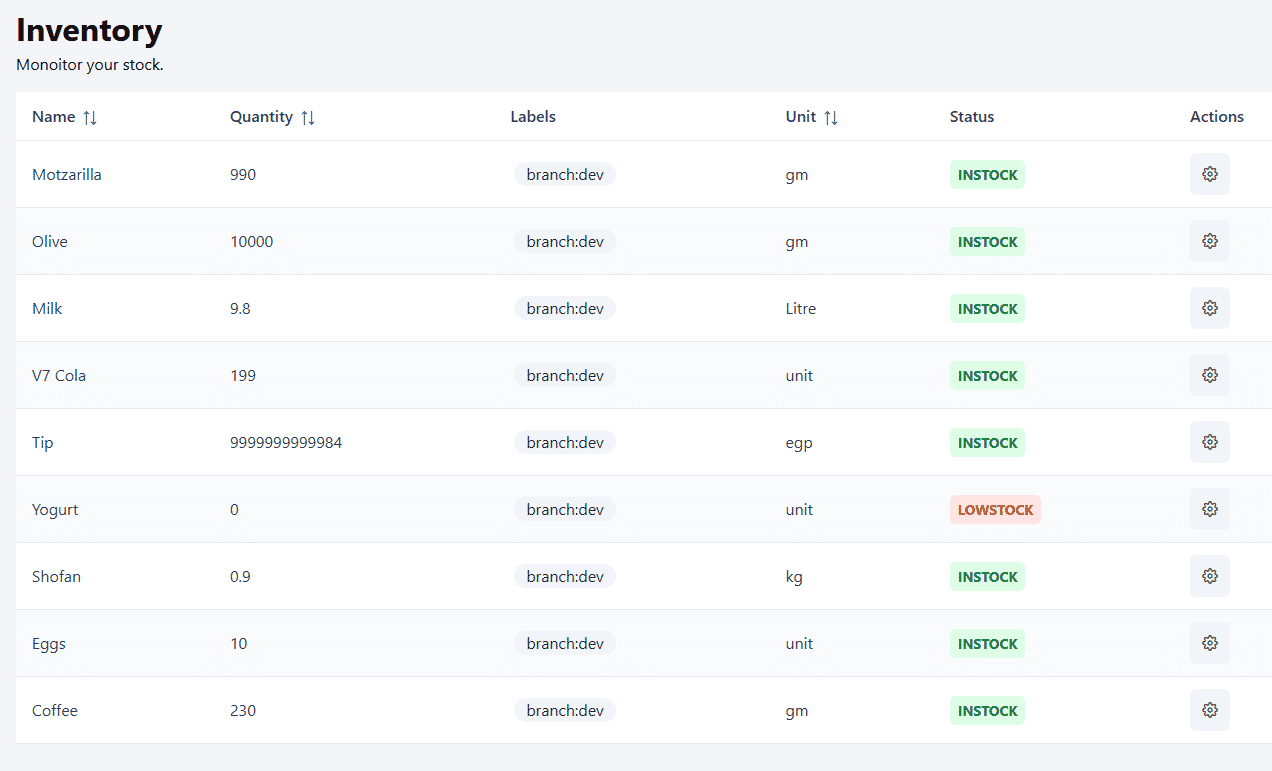
Here you can find the available quantity of each inventory item and the branches that have it. if the item is out of stock a LOWSTOCK label will be present. you can also configure the low stock alert threshold for each item using the Cog button at the far right.